Approving a Pending Review Employee
Approving a Pending Review Employee
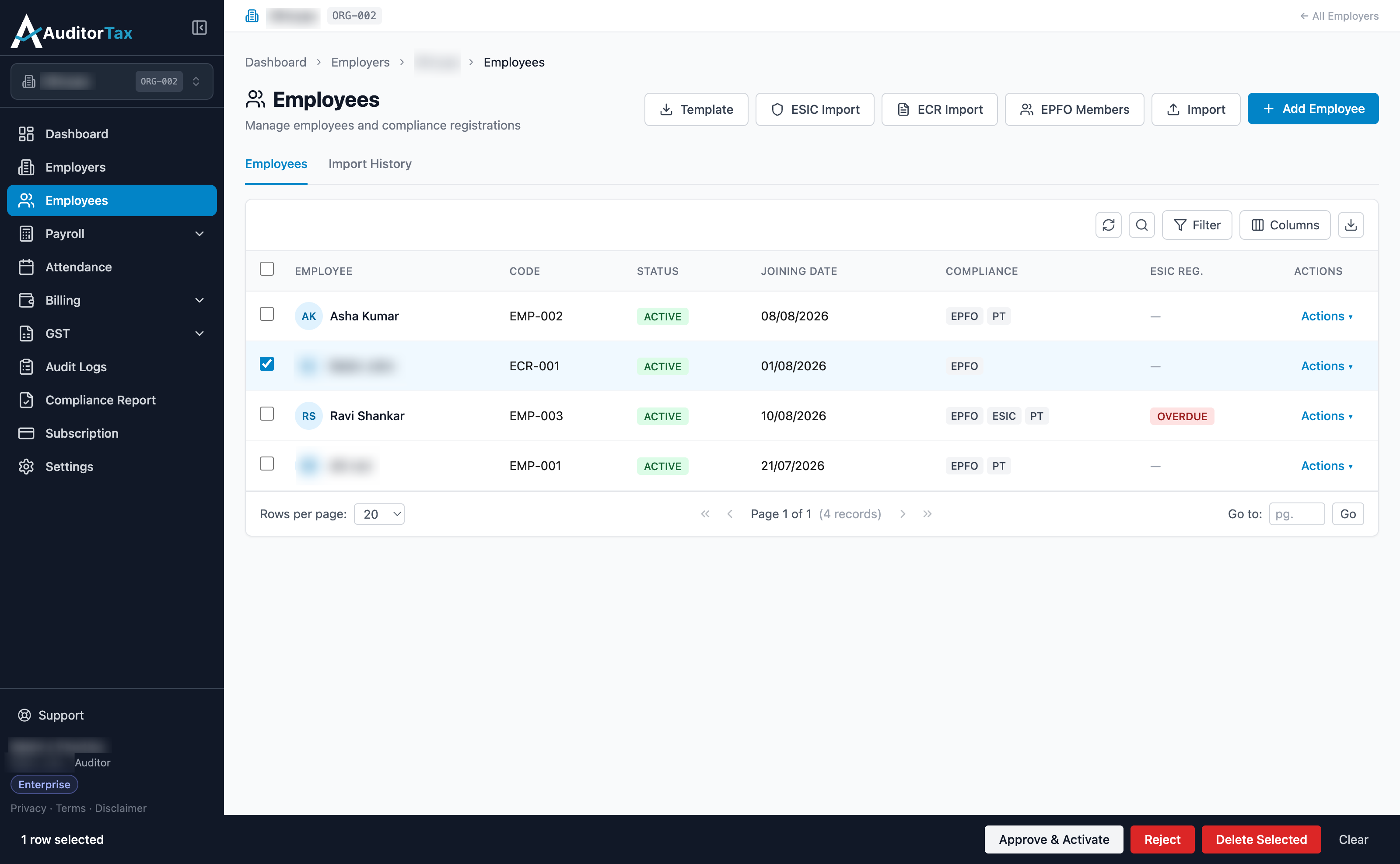
Section titled “Approving a Pending Review Employee”An employee created by ECR Import starts out as PENDING REVIEW, not Active. Approving can be done right from the Employees list.
There are two options to approve a Pending Review employee:
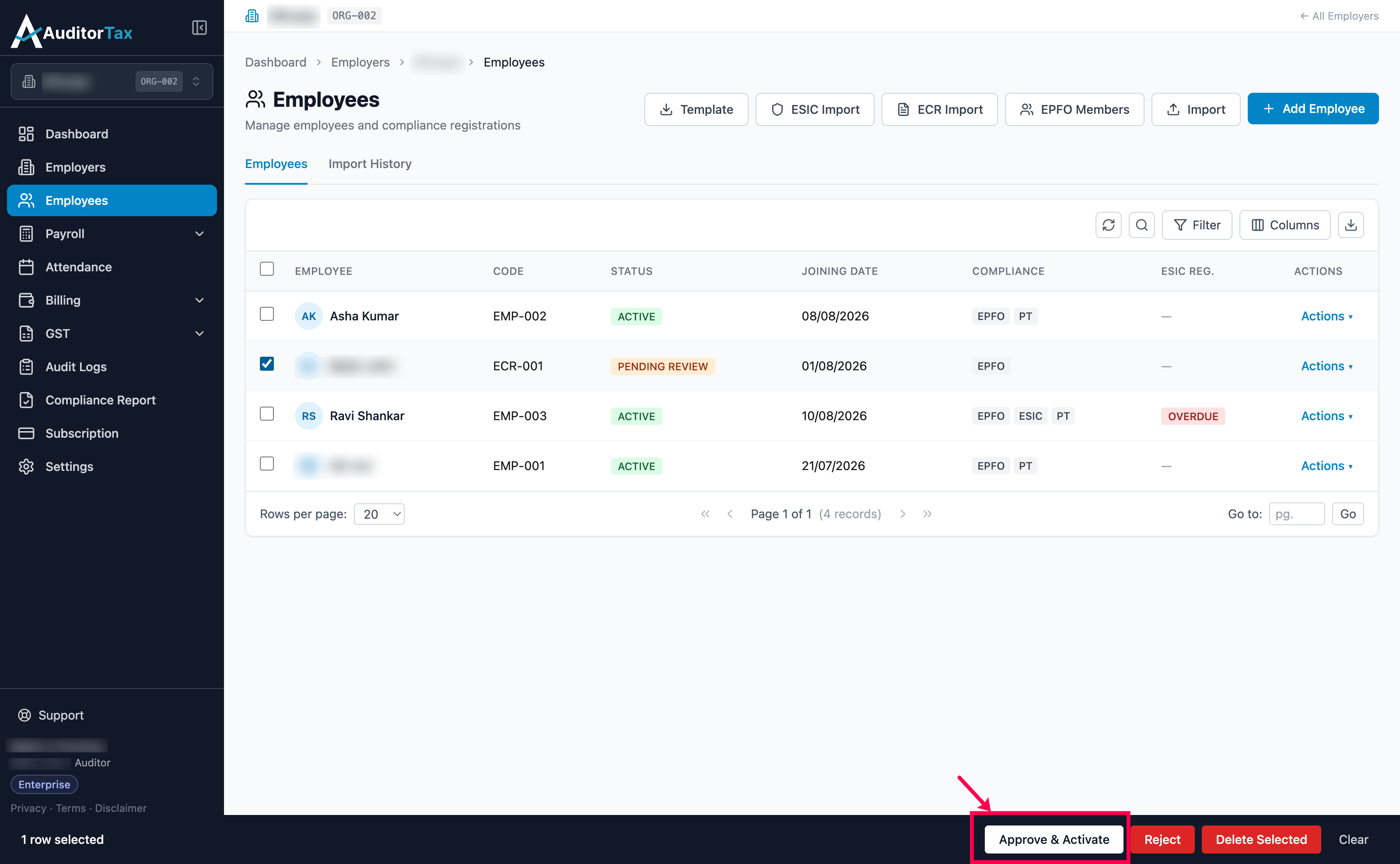
Section titled “There are two options to approve a Pending Review employee:”Option A: Tick the checkbox next to the Pending Review employee’s row. A toolbar appears at the bottom of the screen, three buttons — “Approve & Activate”, “Reject”, and “Delete Selected”. Click “Approve & Activate”
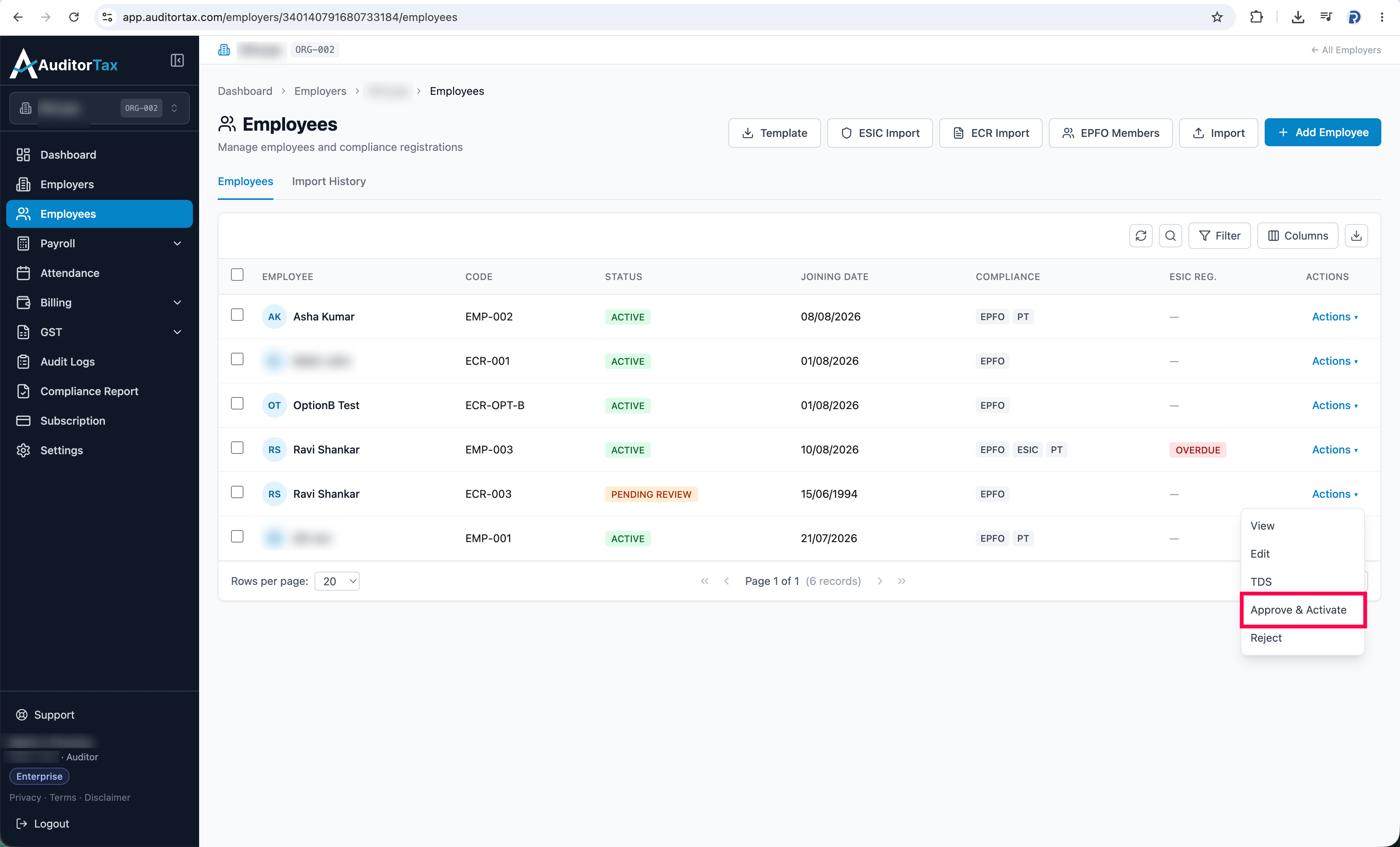
Option B: click “Actions ▾” on the employee’s row, then click “Approve & Activate” in the dropdown.
Outcome: the row updates in place — the STATUS column changes from PENDING REVIEW to ACTIVE immediately, with no page reload or redirect.