The Dashboard
The Dashboard
Section titled “The Dashboard”The Dashboard is the first thing you see after signing in — an “Auditor Dashboard” overview of every employer on your account, plus shortcuts into each module.
1. There are three summary cards at the top
Section titled “1. There are three summary cards at the top”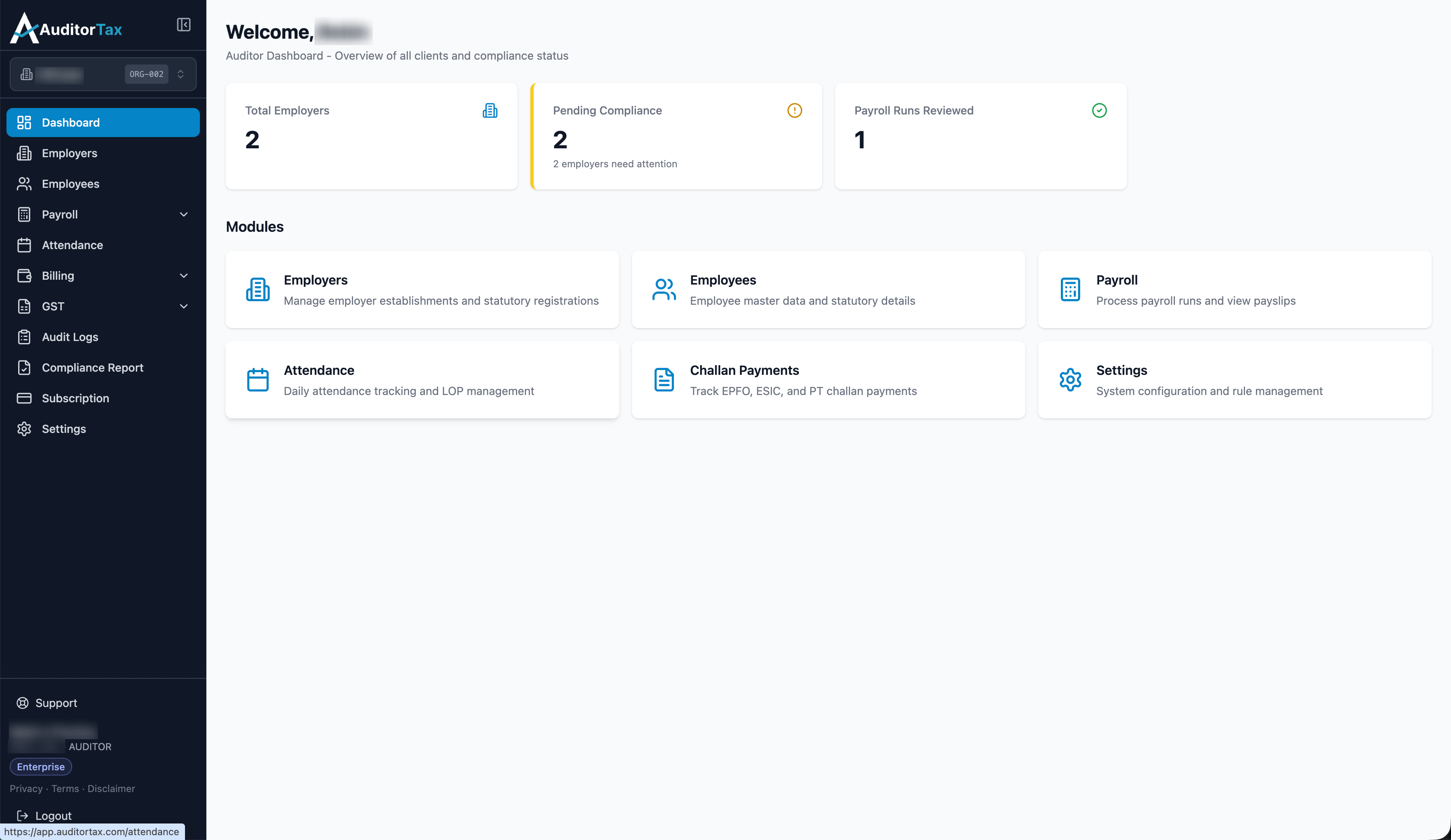
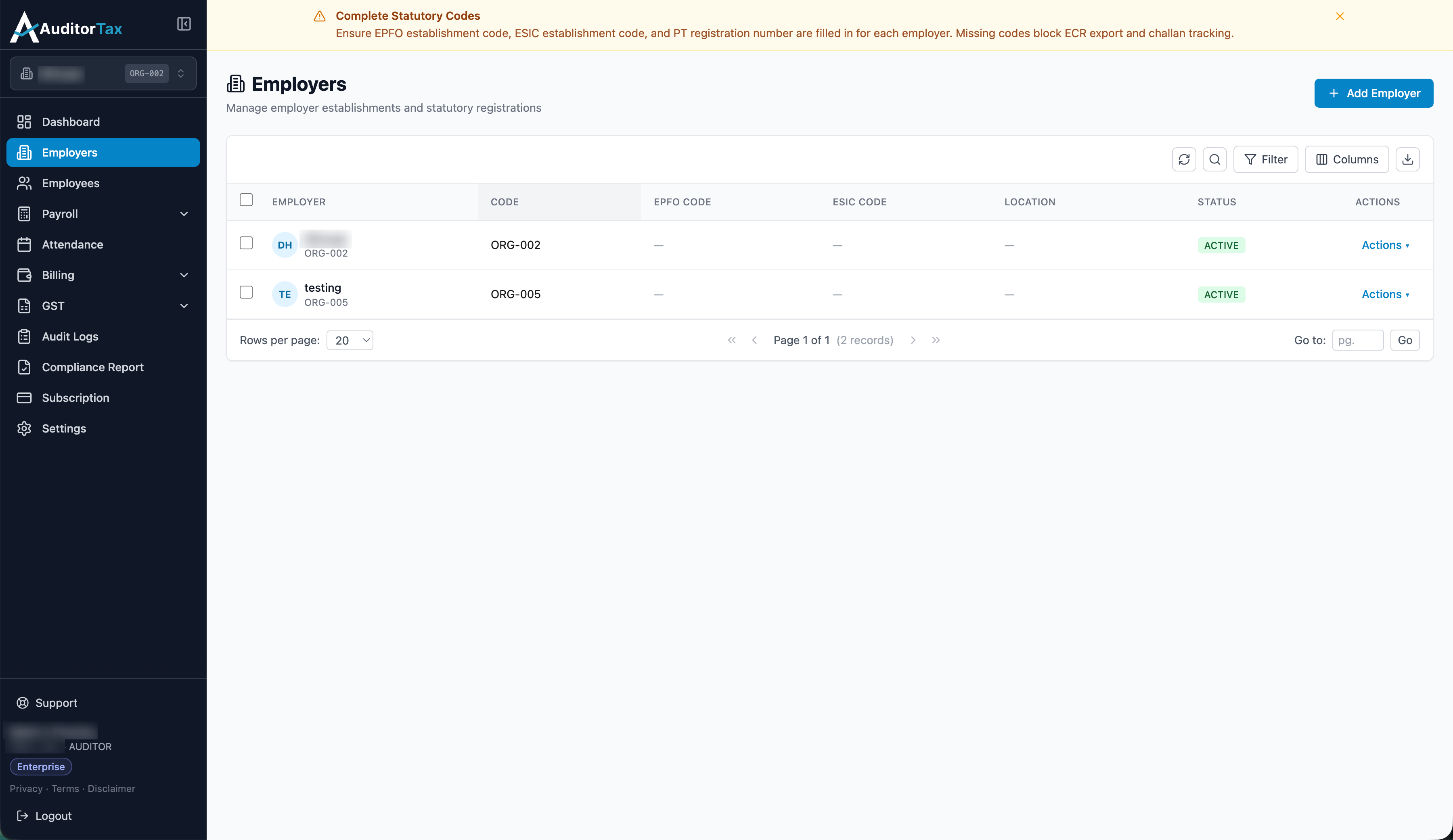
Total Employers
Section titled “Total Employers”How many employer establishments exist on your account. For a Chartered Accountant this is a client count. Clicking the card opens the Employers list — the same list you’d reach from “Employers” in the sidebar — where you can see every establishment’s code, location, and status at once, instead of switching into each one individually.
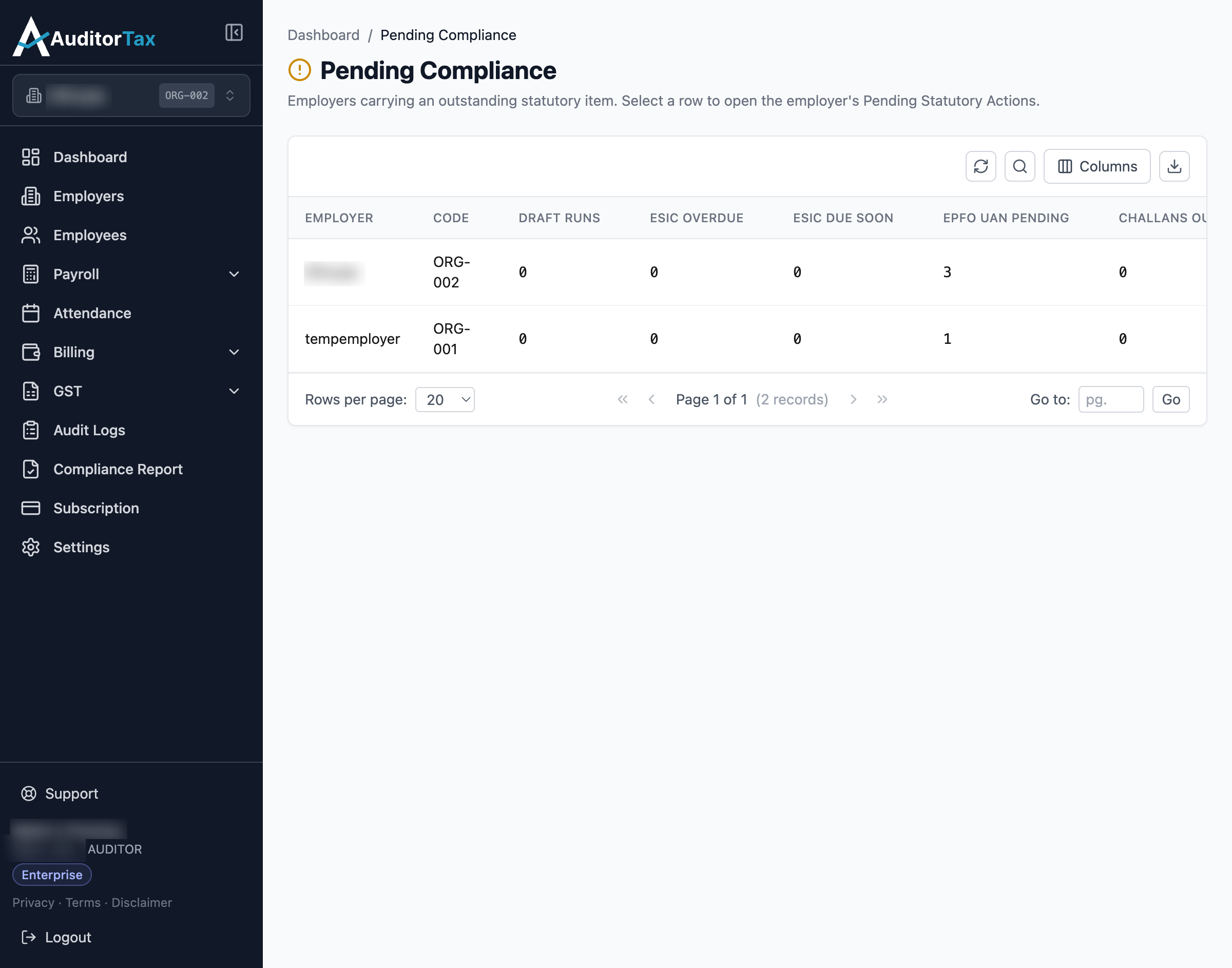
Pending Compliance
Section titled “Pending Compliance”How many employers currently have an outstanding statutory item — the number the card shows (e.g. “2 employers need attention”) counts employers, not individual items. This is the card to check first day-to-day: it’s the one place that surfaces problems across every employer on your account at once, without you having to open each one to look. Clicking it opens a table, one row per employer, broken down by exactly what’s outstanding: Draft Runs (a payroll run started but not finalized), ESIC Overdue, ESIC Due Soon, EPFO UAN Pending (employees still missing their Universal Account Number), and Challans Outstanding.
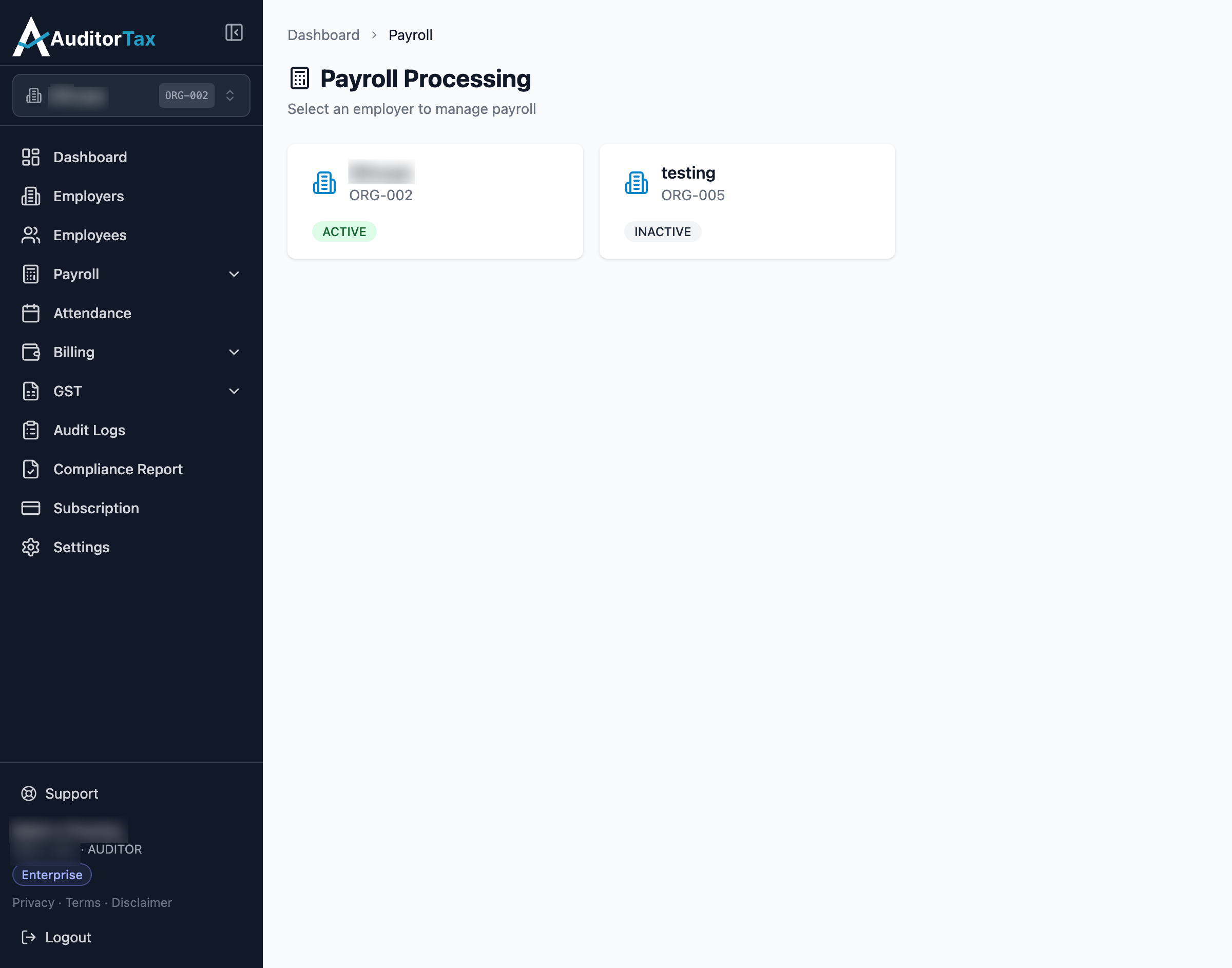
Payroll Runs Reviewed
Section titled “Payroll Runs Reviewed”A count of payroll runs that have been reviewed — a step in the payroll process, distinct from being finalized/locked. Clicking the card opens an employer picker (“Select an employer to manage payroll”), since payroll is always processed one employer at a time; from there you’d open that employer’s own Payroll Runs list to see individual runs and their statuses.
2. Use the “Modules” section for direct shortcuts
Section titled “2. Use the “Modules” section for direct shortcuts”Below the three cards, Modules links straight to Employers, Employees, Payroll, Attendance, Challan Payments, and Settings — the same destinations as the sidebar, described in one line each.